
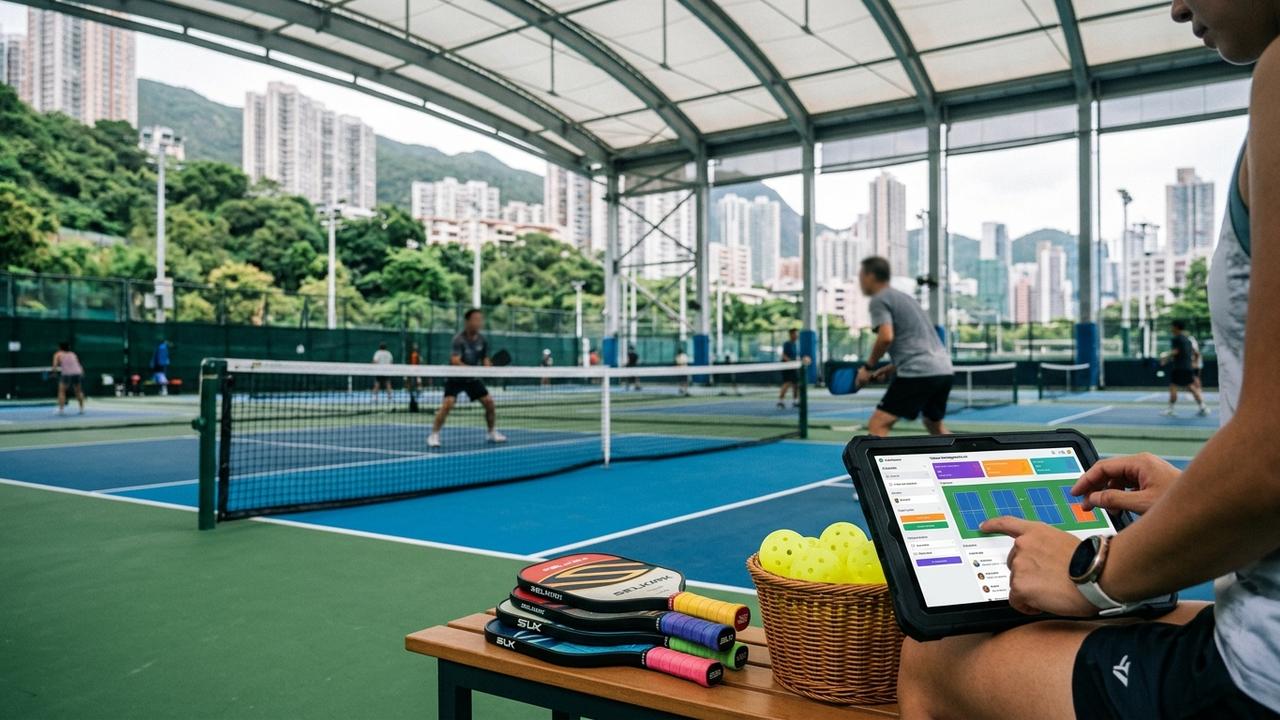
A one-court pilot gives Hong Kong venue operators a way to test sports venue management software against their own records. Start with a baseline, then track bookings, attendance, incidents and staff tasks using clear rules. Ma On Shan is a useful local reference: our MYT Whitehead Pickleball Training Grounds has four covered, open-sided courts.
Your pilot should measure your own site, not assume its results will match another venue. Our court automation for sports venues page sets out the court systems we install and run for operators. This guide offers a practical court automation pilot checklist for deciding what to measure and how to review it.
Set a baseline for sports venue management software
Begin by writing down how one court works before any change. Set a baseline period that matches your booking cycle. For each slot, record whether the court was available, booked and used. Keep the same time window when you later compare results.
A simple worksheet can use one row per slot. Add date, start time, slot length, booking status, attendance and any staff action. If you have them, include the booking source and payment status. Record closures separately so unavailable hours do not look like weak demand.
Calculate utilisation as booked court-hours divided by bookable court-hours. Keep this separate from attendance, since a reservation does not prove the court was used. Define peak and off-peak periods from your own schedule. Also count booking corrections, duplicate reservations and staff minutes spent on booking or access questions.
These baseline court utilisation metrics give you a fair comparison point. Note how each measure is collected and where records are missing. The LCSD's SmartPLAY tutorials show public booking and balloting functions. Use them to understand a public platform, not as a direct benchmark for private court performance.
Measure off-hours court demand in Hong Kong
Low booking totals do not explain why a time slot is quiet. People may not see it, may be unable to reserve it, or may prefer another time. Log enquiries and attempted bookings beside completed reservations before deciding whether a system could help.
During the baseline, record each phone, message or in-person request. Note the requested date and time, number of courts sought, whether a slot was available and what happened next. Follow your venue's privacy practices and collect only details needed for the review. Count one request once, even if it leads to several messages.
At the end of each week, group requests by periods you chose in advance, such as early, midday and late hours. Separate requests that could not be served because a court was occupied from those declined for another reason. Count available slots with no booking as a separate measure.
This makes off-hours court demand Hong Kong operators observe easier to assess, without treating every enquiry as a likely sale. Keep the log consistent if you test a booking change. A court automation pilot checklist should show both unmet requests and quiet available slots, so the team can see the difference between stated interest and actual use.
Measure court no-show rate and incidents
Agree on attendance terms before collecting results. Write down what counts as attended, late, cancelled or a no-show. For example, a venue could define a no-show as no player arriving by the end of the reserved period. Use a rule that fits your booking terms and do not change it mid-review.
For each booking, record its reference, scheduled start and end, observation time, attendance outcome and any staff exception. To measure court no-show rate, divide no-show bookings by eligible bookings. State whether late cancellations are separate. This stops an operator cancellation from being confused with a player absence.
Keep an incident log for problems that affect a session. Record time, court, issue type, impact, action and resolution status. Separate safety, equipment, payment, booking and access issues.
Avoid personal details that are not needed to understand the event. If cameras are used, follow the venue's own notice, privacy and retention rules.
Use the same categories before and during a trial. The Hong Kong Audit Commission's report on sports funding management provides a public-sector context for clear oversight. Where a venue has funding or governance duties, a well-kept log can help explain what was tested and what the records show.
Choose a trial period for your venue
Choose a period that answers the decision you need to make. A short trial can check whether booking, payment or access steps work as intended. It may not show seasonal patterns. Set the start and end dates in advance and list the records you will compare.
As a planning assumption, an operator might use four to six weeks for a first test. This is a proposed trial window, not a rule or a promise of reliable results. Include the operating conditions that matter to your site. Mark closures, public holidays, unusual weather and major events rather than treating every week as alike.
Before the first test day, agree on the court, hours, features and staff roles. Show staff how to record exceptions and correct a mistaken entry. Keep the old process documented in case the pilot stops. If you have several courts, explain why you chose the test court and record any bookings moved between courts.
For a site using public facilities or funding, confirm the relevant rules before changing how users book or reach a venue. The government's guidance for electronic sports venues concerns that venue category. It is not a general court-automation rule, so check whether it applies to your situation.
Set a go/no-go software trial scorecard
Set the decision rules before reviewing the results. Choose measures tied to the problem you want to solve: utilisation, attendance, staff time, booking errors, incident records and support workload. Decide what evidence would count as useful, but do not assume that software will produce a particular result.
A simple scorecard can show the baseline, trial result, data quality and decision for each measure. Ask whether target-hour utilisation changed, no-show records became clearer, staff time shifted, or new support work appeared. Mark each item met, not met or inconclusive. Use inconclusive when records are thin or the trial conditions differ too much.
This go/no-go software trial should end with a written decision: proceed, revise and retest, or stop. Note the evidence, open risks and any scope changes. Do not judge only by bookings. A workflow that saves staff steps may matter even if utilisation is unchanged, while a rise in bookings may not offset unresolved access issues.
Use the same worksheet throughout the review, and show who checked each result. The court automation process and included system features can help operators compare the test scope with the functions under consideration. Sports venue management software should be judged against the venue's stated needs, not a vendor's broad promise.
Conclusion
A one-court pilot is a measured test, not a promise of higher revenue or fuller courts. Record a comparable baseline, track requests, and agree on attendance and incident definitions before making a change. Choose a period that fits the question, then label unusual conditions clearly.
Review the same measures after the test. Separate system usability from commercial results, and treat missing records as a finding. A clear outcome may be proceed, revise or stop. The goal is a decision your team can explain using evidence from its own court.
Talk to us
We install and run court automation on courts operators already own. Options include revenue share or buying the system, with pricing quoted per site after a survey. A single-court pilot is possible. Visit our court automation page to review the approach. To see how this would work on your courts, book a demo with our team: https://genium-infra.com/courts#demo
FAQ
How do I measure off-peak court demand before buying software?
Log unique requests and attempted bookings by time period, then compare them with bookable and booked hours. Note why each request could not be served, if applicable. This measures off-hours court demand Hong Kong operators can observe without assuming every enquiry would become a paid reservation.
What is a no-show rate for a Hong Kong sports court?
It is the number of bookings classed as no-shows divided by the bookings covered by your stated rule. Define the cutoff and report late cancellations separately if needed. Consistent records help you measure court no-show rate over time, but do not make figures comparable unless venues use the same definitions.
How long should a court automation trial last?
There is no single period for every venue. As a planning assumption, a first trial might run for four to six weeks, depending on what the operator needs to test. Mark holidays, closures and unusual weather so the review explains conditions rather than hiding them.
What go/no-go criteria should a venue use for booking software?
Choose criteria before the trial, based on the venue's specific problem. Review utilisation, attendance, staff time, errors, incident records, support workload and data quality. Mark each result met, not met or inconclusive, then document whether the next step is to proceed, revise or stop.
Can SmartPLAY data help private court operators set a baseline?
SmartPLAY tutorials can help operators understand public booking and balloting functions, but the data is not a direct private-court benchmark. Build a local baseline from available hours, reservations, attendance and operating records. See the LCSD SmartPLAY tutorials for the platform's functions.